


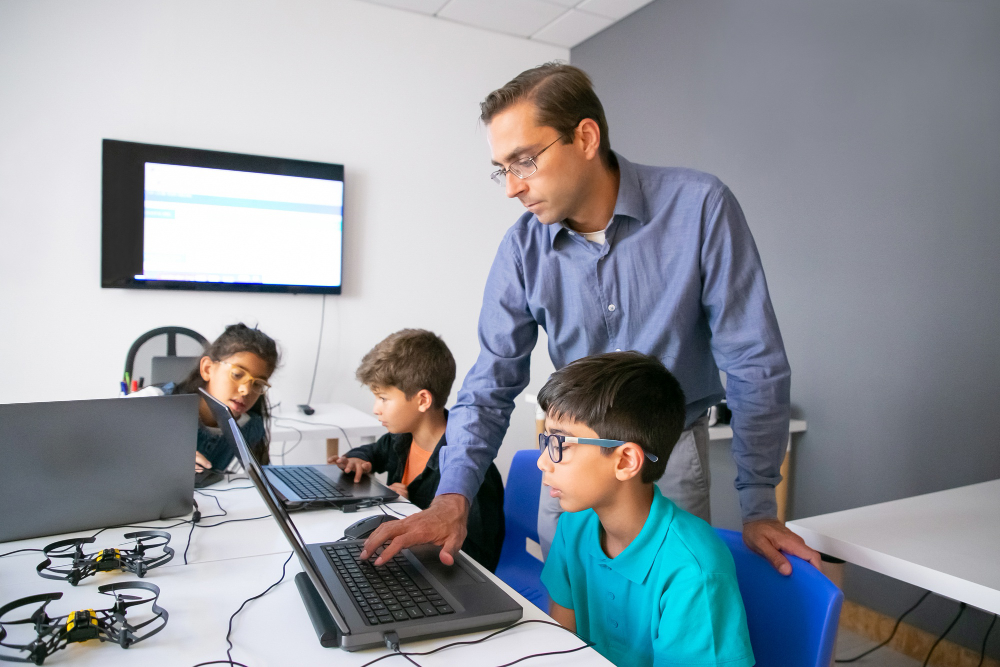
If you are reading this, chances are you have already experienced the “Zoom fatigue.” You have likely sat through a webinar where the presenter talked at a screen for an hour, or you have tried to wrangle a group of students whose attention is being pulled in seventeen different directions by notifications, open tabs, and the general chaos of learning from a device.
The promise of the digital classroom was freedom and flexibility. The reality, for many, has been a struggle with distraction, isolation, and information that simply doesn’t stick.
We have been told that technology is the future of education, but we haven’t always been told how to use it effectively. Simply transferring a traditional lecture into a video call is like putting a car engine on a bicycle—it technically moves, but it’s an awkward, inefficient mess.
The good news is that the digital classroom is not inherently broken; we have just been using outdated maps to navigate it. When leveraged correctly, digital tools can create learning experiences that are more engaging, more personalized, and more effective than anything a physical classroom can offer. This article is your new map. We are going to move beyond the surface-level tips and dive deep into the strategies that bridge the gap between “logged in” and “lights on.”
The Synchronous vs. Asynchronous Balancing Act
One of the biggest mistakes in digital education is the attempt to replicate the traditional school day online. This leads to back-to-back Zoom sessions that leave learners exhausted and instructors burned out. To build a digital classroom that works, you must first understand the distinct personalities of synchronous and asynchronous learning, and learn how to make them dance together.
Why “Live” Isn’t Always Right (And When to Use It)
Synchronous learning—real-time, live instruction—is the champagne of digital education. It is expensive in terms of energy and attention, so it should be reserved for celebration, not for daily hydration.
In a digital space, our cognitive load is much higher. We are not just processing information; we are processing the medium itself. When you use synchronous time poorly, you are wasting your most valuable resource: human connection.
Live sessions should only be used for things that cannot be done alone. This includes:
- Complex Problem-Solving: Tackling a difficult math problem or a business case study where the group can build on each other’s ideas.
- Sensitive Discussions: Navigating topics that require empathy, nuance, and real-time emotional feedback.
- Community Building: The casual chat before and after a session, the breakout room where people actually laugh together—this is the “social glue” that keeps learners coming back.
- Q&A and Clarification: Addressing the “muddiest points” from the week’s self-paced work.
If your live session is a monologue, hit the pause button. Record that lecture and give your learners their time back.
Designing Asynchronous Work That Actually Gets Done
Asynchronous learning is where the heavy lifting happens. It is the self-paced study, the videos, the readings, and the projects. However, the enemy of asynchronous learning is procrastination.
To combat this, asynchronous work needs to be structured with tight feedback loops and clear micro-deadlines. Instead of saying, “Read Chapters 1-5 by Friday,” break it down.
- Chunking: Create “micro-lessons.” A 10-minute video is infinitely more digestible than a 60-minute recording.
- Active Retrieval: Pair every video or reading with a low-stakes quiz or a single reflection question. This forces the brain to retrieve information, which solidifies memory.
- The Checkpoint: Implement a mid-week “ticket to entry.” This could be a one-paragraph summary of what they learned posted to a forum by Wednesday. It keeps the momentum going without requiring a full live session.
Engagement Architecture: Designing for Participation, Not Attendance
In a physical room, you can see if someone is asleep in the back row. In a digital classroom, you see a black box with a name on it. True engagement isn’t about having the camera on; it’s about having the mind on. You have to architect your lessons to pull participation out of the learners, rather than hoping they volunteer it.
The “Camera On” Debate: Rethinking Visibility
The insistence on keeping cameras on is a contentious issue. While it feels nice to see faces, it ignores the reality of digital fatigue and the fact that staring at yourself on screen for an hour is psychologically taxing. Forcing cameras on can actually create anxiety that hinders learning.
Instead of policing cameras, create reasons for learners to want to be seen.
- Non-Verbal Feedback: Encourage the use of reactions (thumbs up, claps) constantly. Make it a reflex. “If you agree, give me a thumbs up. If you think it’s option B, hold up two fingers.”
- The Digital Nomad: Allow learners to change their background to reflect the topic. Studying ancient Rome? Have everyone find an image of a Roman landmark to use as a backdrop. It’s a low-stakes way to express participation.
Gamification Done Right: Beyond Points and Badges
Gamification often gets a bad rap because it is implemented poorly—slapping a leaderboard onto a boring quiz doesn’t make it engaging. Effective gamification in the digital classroom is about creating a narrative and providing immediate feedback.
- Narrative Transport: Frame the course as a journey or a mission. Instead of “Module 3: Marketing Basics,” call it “The Market Entry Challenge.” Learners are no longer students; they are analysts tasked with launching a product.
- Progress Mechanics: Use a progress bar that fills up visually as they complete tasks. This taps into our psychological need for closure (the Zeigarnik effect). We are more motivated to finish a task if we can see we are 70% of the way there.
- Unlockable Content: If a learner completes all the formative assessments for a week, unlock a bonus video—perhaps an interview with an expert or a deeper dive into a niche topic. This treats learning like a reward, not a chore.
Practical Application: The “Learn One, Do One, Teach One” Model
Information retention in a digital space is notoriously low because it is easy to passively consume content. To make learning stick, you must move learners through a cycle of consumption, action, and articulation. The “Learn One, Do One, Teach One” model is perfectly suited for this.
- Learn One: This is the asynchronous part. The learner watches a tutorial, reads an article, or listens to a podcast. (Consumption)
- Do One: This is the individual application. The learner uses that knowledge to complete a specific task—write a line of code, create a budget spreadsheet, draft a thesis statement. (Action)
- Teach One: This is the magic step. The learner must explain what they just did to someone else. In a digital classroom, this can be done in a variety of ways.
- Peer Review: Learners submit their “Do One” work and are randomly assigned to give feedback to two peers using a rubric.
- The 2-Minute Recap: At the start of a synchronous session, randomly call on people to explain the previous concept to a partner in a breakout room.
- Digital Artifacts: Have learners create a short screencast or a Canva infographic explaining the concept to a hypothetical newbie.
When you are forced to teach a concept, you discover the gaps in your own understanding. This is where deep learning occurs.
Battling Digital Distraction Through Neuroplasticity
We are fighting against algorithms designed by the world’s best engineers to capture attention. Expecting a learner to simply “focus harder” while their phone buzzes in their pocket is a losing battle. You must design the learning environment to be a sanctuary from distraction.
The Power of “Cognitive Offloading”
Our working memory is limited. When we are in a digital classroom, we are trying to remember what the instructor just said, take notes, and monitor the chat, all while the dog barks in the background. This overload causes us to shut down.
Teach your learners (and yourself) the skill of cognitive offloading.
- The “Parking Lot”: Keep a shared digital document (like a Google Doc or a Padlet) open during live sessions. If a tangential question or idea comes up that is off-topic, anyone can “park” it there to be addressed later. This frees the brain from trying to hold onto it.
- Guided Notes: Provide a PDF of partially completed notes before a video lecture. Learners simply fill in the blanks as they watch. This turns passive viewing into active searching.
Creating “Flow” in a Distracted World
The state of “flow” (complete immersion in a task) is the peak of learning. It requires a balance between challenge and skill, and it requires uninterrupted time.
- The “Deep Work” Block: Instead of 50-minute lessons, structure some asynchronous time as 90-minute “Deep Work” blocks. Assign a complex task and explicitly instruct learners to turn off all notifications, close all other tabs, and work solely on that task.
- Soundscaping: Recommend specific, non-lyrical background sounds (like binaural beats or ambient noise from sites like MyNoise) that learners can put on headphones to mask distracting home or office sounds and signal to the brain that it is time to focus.
Community and Collaboration in a Virtual Space
The loneliest place in the world can be a digital classroom full of people who never speak. Without the serendipitous hallway conversations, community must be intentionally cultivated.
Beyond the Discussion Post: Better Asynchronous Conversation
The standard discussion board—”Post your answer and reply to two classmates”—is the equivalent of forced small talk at a party. It rarely leads to genuine dialogue.
Revitalize asynchronous conversation with different formats:
- The “Two Truths and a Lie”: For an icebreaker or a topic review, have learners post two true statements and one lie about the subject matter. Others have to guess the lie and explain why.
- The “Hot Seat”: Designate one learner per week as the “expert.” Throughout the week, other learners post questions about the material to them, and the “expert” is responsible for researching and answering.
- Collaborative Note-Taking: Assign a different learner each week to be the official “scribe” for a live session. They edit and maintain a shared Google Doc that the whole class contributes to. This creates a shared resource and a sense of collective responsibility.
The Power of the Small Group (Affinity Spaces)
Large group discussions often only involve the boldest voices. Small groups (3-4 people) create psychological safety.
- Persistent Breakout Rooms: Don’t randomize breakout rooms every time. Create “basecamp” groups that meet together for the first 10 minutes of every live session. They check in, share wins and struggles from the week, and build genuine rapport over the duration of the course. When it’s time for a tough group project, they aren’t strangers.
Assessment Reimagined: Measuring What Matters
In a digital world where a student can have a textbook open in another tab or an AI write their essay, traditional assessment methods are obsolete. We have to shift from measuring compliance to measuring competency.
The Death of the High-Stakes Proctored Exam
Proctoring software that watches students through their webcams creates a hostile, anxiety-ridden environment. It assumes guilt and damages the trust relationship between instructor and learner. Instead of trying to lock down the test, we should open up the assessment.
- Authentic Assessments: Assign real-world tasks. Don’t ask for a definition of a business model; ask them to create a business model canvas for a local company. Don’t ask for the dates of a historical event; ask them to create a TikTok video series from the perspective of a person living through it.
- Open-Note, Open-Internet Assessments: If the goal is to see if a learner can synthesize information, let them use the tools they will have in the real world. Create complex, scenario-based questions that require critical thinking, not just recall. You can’t Google the answer to “Based on the data in this case study, what is the underlying ethical dilemma?”
Mastery-Based Progression
Allow learners to demonstrate mastery when they are ready. In a digital classroom, this is easier than ever.
- Formative Checkpoints: Use frequent, low-stakes quizzes that are auto-graded. They don’t count for a large part of the grade, but they tell the learner (and you) where they stand.
- “Retake” Culture: Allow learners to resubmit assignments or retake equivalent versions of tests. The goal is learning, not punishment. If a learner fails, they should be able to review the feedback, try again, and show they have improved. This builds a growth mindset, which is critical for lifelong learning.
Conclusion: The Shift from Teacher to Architect
The strategies outlined here share a common thread: they require a fundamental shift in mindset. In a traditional classroom, the instructor is the “Sage on the Stage,” the dispenser of knowledge. In a high-functioning digital classroom, you must become an “Architect of Experience.”
Your job is no longer to simply deliver content—the internet already has all the content. Your job is to design the pathways, the challenges, and the connections that turn that content into wisdom. It is about creating an environment so well-structured that learning happens almost inevitably, even through the screen.
The digital classroom is not a downgrade from the physical one; it is a different medium with different strengths. By embracing asynchronous depth, architecting engagement, and reimagining assessment, you can build a learning environment that is not just “as good as” the old way, but profoundly better. It is a space that respects the learner’s time, challenges their intellect, and prepares them for a world where digital fluency is not just an advantage, but a requirement.